
Sensor Locker1.0.1 - Google Play
You'll be able to see results in few seconds.
Publisher Description
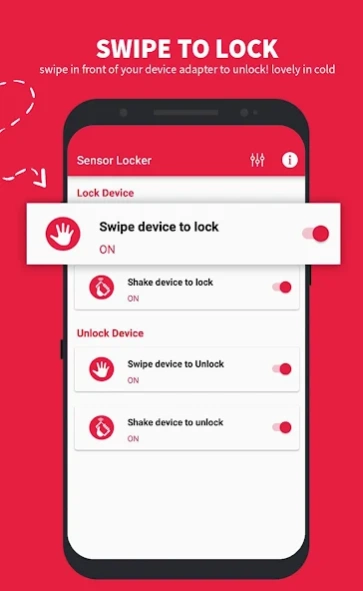
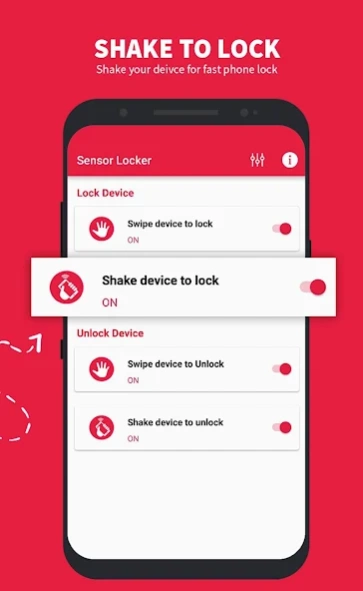
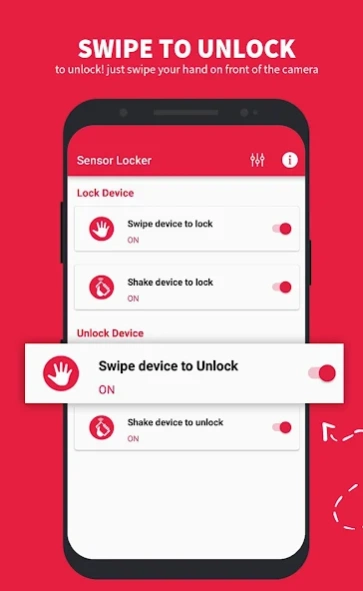
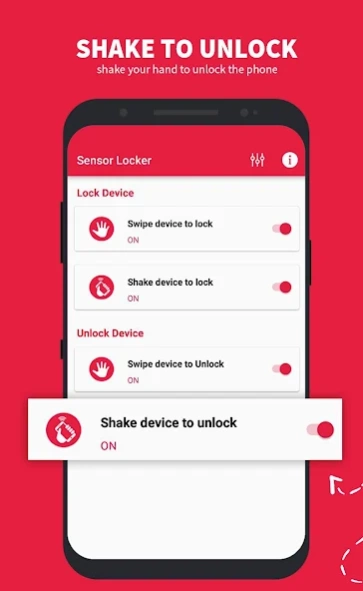
Lock screen or unlock was never that easy and fun before
Just wave your hand over proximity sensor of your phone to lock screen or unlock! Download “Sensor Locker”, a hand wave control smart lock app for your Android.
We need to look at the clock several times a day and we unlock our phone several times a day just to see what time it is right now. But there are some times when you don’t want to press the physical lock unlock button on your smart phone just to take a look at the clock. Or maybe you just want to preserve your lock unlock button. What will you do then?
The answer is “Sensor Locker”! All you need is this wave control easy lock unlock screen app installed on your device. This smart lock app allows you to lock and unlock your device just by waving you hand over the proximity sensor.
To lock screen or unlock was never that easy and fun before this lockscreen app! Download “Sensor Locker” right away.
Key Features:
● Wave hands over proximity sensor to lock and unlock screen
● Do not turn on screen when you put your phone in pocket
● Easily pause or play the app via notification center
● Disable in Landscape to avoid lock screen when playing game or watching video
● Allow set sensitivity for proximity sensor
● Set time delay before lock screen
● The app is free to install and use
“Sensor Locker” is a smart and easy to use the smart screen on off app which uses your smart phone’s proximity sensor. This is just a perfect smart lock app to have on your device to easily lock and unlock your phone screen!
Note:
- The app makes error fingerprint so you should turn off fingerprint before using it.
- To uninstall the app you can click the button "Uninstall" in-app or go to "System Settings—>Security—>Device Administrators" to uncheck Administrator permission for Wave Lock and after uninstalling Wave Lock app same as normal way. If you can't deactivate Device Administrator please try to restart your device to retry or contact us to get further support.
Thanks
Please don’t forget to leave us a review and a rating to let us know what you think about this sensor lock unlock app. We always want to continue to deliver some of the best and most useful apps possible, and your feedback plays an important role in us being able to achieve this goal.
About Sensor Locker
The company that develops Sensor Locker is The Nutshell Innovasion. The latest version released by its developer is 1.0.1.
To install Sensor Locker on your Android device, just click the green Continue To App button above to start the installation process. The app is listed on our website since 2018-10-03 and was downloaded 0 times. We have already checked if the download link is safe, however for your own protection we recommend that you scan the downloaded app with your antivirus. Your antivirus may detect the Sensor Locker as malware as malware if the download link to com.nutshellinnovasion.sensorlocker is broken.
How to install Sensor Locker on your Android device:
- Click on the Continue To App button on our website. This will redirect you to Google Play.
- Once the Sensor Locker is shown in the Google Play listing of your Android device, you can start its download and installation. Tap on the Install button located below the search bar and to the right of the app icon.
- A pop-up window with the permissions required by Sensor Locker will be shown. Click on Accept to continue the process.
- Sensor Locker will be downloaded onto your device, displaying a progress. Once the download completes, the installation will start and you'll get a notification after the installation is finished.
Program Details
System requirements
Download information
Pricing
Version History
version 1.0.1
posted on 2018-10-03
Disclaimer
Official Google Play Link
We do not host Sensor Locker on our servers. We did not scan it for viruses, adware, spyware or other type of malware. This app is hosted by Google and passed their terms and conditions to be listed there. We recommend caution when installing it.
The Google Play link for Sensor Locker is provided to you by apps112.com without any warranties, representations or guarantees of any kind, so access it at your own risk.
If you have questions regarding this particular app contact the publisher directly. For questions about the functionalities of apps112.com contact us.
